
Subreddit Welcome Message: From Visitors to Contributors

Start here: How to Create a Subreddit for Your Business: Find the Gap
TL;DR
- A subreddit welcome message is an automated note sent to new members, usually appearing in their inbox about an hour after they join, and it sets expectations before their first post.
- The message works best when it states the community's purpose, points to the rules, and tells new members how to ask questions.
- Moderators set this up through subreddit settings or a pinned post, since Reddit's native welcome message tool has changed over time.
- A clear welcome message reduces repeat questions and rule-breaking posts, which saves moderators time.
- The next step is reviewing what a strong welcome message includes before writing one for a specific community.
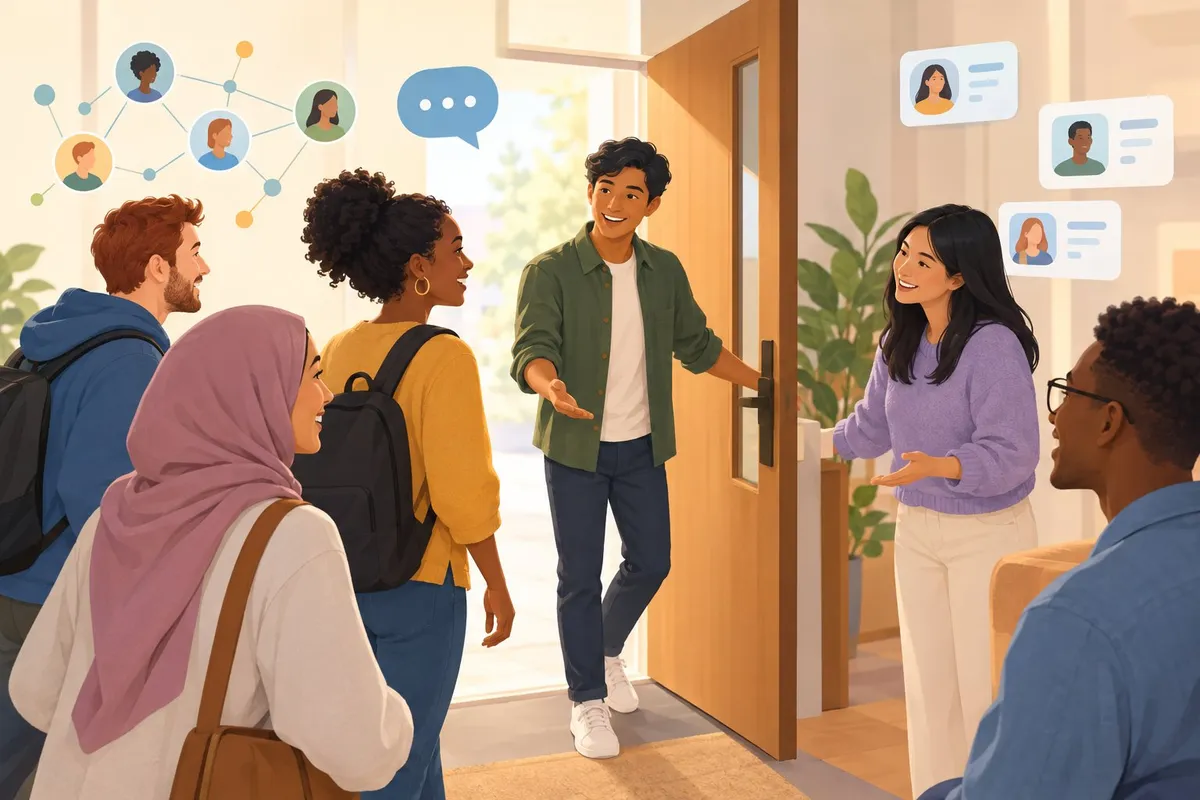
A new member joining a subreddit often has no idea what the group expects from them. A welcome message fills that gap by greeting them and pointing them toward the rules, the community's purpose, and how to get involved.
Subreddits that skip this step tend to see more rule violations and repeat questions, since members never got basic direction. A short, well-written message can prevent a lot of that confusion before it starts.
This matters beyond moderator convenience. A clear welcome message is one of the first signals a member gets about whether a community is organized and worth sticking around in, which connects directly to whether that corner of Reddit grows into something useful.
Set Up the Welcome in Reddit's Community Guide
Reddit's Community Guide tool lets moderators show a welcome message when a new member joins, and it can also prompt flair setup and share up to three resource links. Setting it up correctly means members see the right information at the right moment, without extra staff posting.
Find and Publish the Welcome Message
The Community Guide lives inside Mod Tools, not in the main settings menu.
- Open the community page and click Mod Tools.
- Scroll to Settings and select Community Guide.
- Toggle Enable community guide on.
- Toggle Show when someone joins this community if the welcome should trigger automatically.
- Edit the header text, header image, and welcome message using the live preview on the right.
- Save the changes once the preview matches what the team wants new members to see.
The result is a published guide that appears automatically for new joiners and stays accessible in the About section for anyone who wants to revisit it, a setup process confirmed in Reddit's own Community Guide documentation.
Understand What Members See When They Join
A new member who joins a subreddit with the guide enabled sees a pop-up welcome message, not a private inbox message. This is a documented change from the older version of the feature.
| Version | Delivery method | Where it appears |
|---|---|---|
| Older Mod Welcome Message | Private message | Member's inbox |
| Current Community Guide | Pop-up on join | On-screen when joining |
Reddit confirmed this shift directly, noting that the feature now triggers a pop-up welcome message when a user joins a subreddit instead of sending a private message.
Observation: New members often skip reading pinned rules before posting. Decision: Use the on-join pop-up to surface the two or three rules that matter most. Action: Keep the welcome text short enough that someone reads the whole thing in under 15 seconds.
If a banner image is not uploaded, the guide falls back to the community avatar and name, so a visual check after setup is worth doing.
Use Pinned Posts or AutoModerator for Different Welcome Needs
The Community Guide is not the only tool for greeting new members, and it is not always the right one.
| Need | Best tool | Why |
|---|---|---|
| Brief rules reminder on join | Community Guide pop-up | Appears instantly, hard to miss |
| Long-form rules or FAQ | Pinned post | Supports more text, links, and formatting |
| Welcome in every new thread | AutoModerator comment | Reaches members who skip the sidebar entirely |
| Flair setup prompt | Community Guide | Built-in flair selector |
A hobby subreddit with a complex set of posting rules may rely on a pinned post for the full explanation, while using the guide for a short, friendly pointer toward it. A buyer-advice subreddit might add an AutoModerator comment on every post reminding members to search before asking a repeated question, since that catches people who never open the guide at all.
Contrast:
- Weak: a wall of text in the join pop-up that repeats the entire rules page.
- Strong: a two-sentence pop-up that links to the pinned rules post for anyone who wants more detail.
Combining these tools lets moderators protect their own time while still giving new members what they need, a practical step toward the Shift to Member-Led Growth where regulars start answering common questions before a moderator has to.
Write a Welcome That Starts Meaningful Participation

A welcome message should do three things: explain what the community is for, point new members to useful places, and invite a specific action. Each part reduces confusion and makes a first post more likely.
Explain the Community's Purpose and Link to Its Rules
The first line of a welcome message should state what the community is for in plain terms. A new member should not have to guess why the subreddit exists.
The message should also link directly to the subreddit rules, not just mention that rules exist. This gives members a clear reference before they post.
| Weak version | Strong version |
|---|---|
| "Welcome! Glad you're here." | "Welcome! This subreddit is for sharing home coffee roasting results and troubleshooting bad roasts." |
| "Please read the rules." | "Before posting, check the subreddit rules, they cover self-promotion and photo requirements." |
| "Enjoy your stay." | "New here? Start with the pinned post that explains how grind size affects roast flavor." |
A clear purpose statement paired with a rules link does two things at once: it tells people what belongs here, and it tells them what doesn't.
Point Members to Useful Discussions and Modmail
New members often don't know where to look first. A welcome message should name specific resources instead of leaving them to search on their own.
Useful links to include:
- Pinned resource threads that answer common questions, such as buying guides or starter FAQs
- Recent high-quality discussions that show what good participation looks like
- The subreddit's wiki or sidebar, if one exists, for background info
- Modmail, for questions that don't fit a public post, like account issues or rule clarifications
Modmail deserves its own mention. Many new members don't realize it exists or assume they have to post publicly for every question. Telling them modmail is available for private concerns can prevent frustration and misdirected posts.
Invite a Specific First Contribution and Keep the Message Current
A vague invitation like "feel free to post" rarely leads to action. A specific prompt works better.
Examples of specific invitations:
- Ask the member to introduce themselves in the pinned intro thread.
- Ask them to share one project photo in the weekly showcase thread.
- Ask them to answer a beginner question in an open discussion.
- Ask them to vote in an active community poll.
Each of these gives the member a clear next step instead of an open-ended choice.
The welcome message also needs regular review. Links to old threads, outdated events, or retired rules confuse new members and make the community look unmanaged. Checking the message every few months, and updating it when rules or pinned resources change, keeps it useful.
Frequently asked questions
How do you write a welcome message for new subreddit members?
A strong welcome message answers three things fast: what the community is about, what the rules are, and what to do first.
- State the subreddit's purpose in one sentence.
- List the two or three rules that matter most.
- Point to one action, like introducing themselves or checking a pinned resource.
- Keep the tone close to how members actually talk to each other.
- End with a link to the full rules or an FAQ post.
The result is a message new members can read in under 20 seconds and still understand what to do next.
Weak version: "Welcome! Glad you're here. Hope you enjoy your stay."
Strong version: "Welcome to r/HomeBrewing. Post your recipe questions with the grain bill included, and check the pinned FAQ before asking about beginner kits."
The strong version gives a new member something to act on. Reddit's own guidance notes that a welcome message is a chance to explain how to participate, not just say hello.
What should a subreddit welcome message include?
| Element | Purpose | Example |
|---|---|---|
| Community purpose | Tells new members what the subreddit covers | "A space for Tad Williams fans to discuss his books and worlds" |
| Core rules | Prevents common rule violations | No spoilers outside marked threads |
| First action | Gives new members something to do | Introduce yourself in the pinned thread |
| Contact method | Shows how to reach moderators | Modmail link or flair request form |
| Related resources | Reduces repeat questions | Link to FAQ or wiki page |
A real example comes from r/TadWilliams, where the welcome message tells new members the subreddit exists for discussing and speculating about a specific author's work, then invites them to join in.
Where can I find examples of effective subreddit welcome messages?
Moderators can study existing communities directly rather than guessing at format.
- Fan communities, like r/TadWilliams, which greets new members with a short welcome post naming the subreddit's focus and inviting participation.
- Help-focused subreddits, where the welcome message often links to related communities for off-topic questions, as seen in r/help's config wiki page.
- Mod discussion threads, where moderators compare notes on structure and tone for their own welcome posts.
- Rules sidebars, which often double as an extended welcome message with blue linked text pointing to full community guidelines, a format explained in this moderator question.
Reading a few examples from subreddits similar in size and topic to the one being moderated is the fastest way to find a workable format.
How do I set up an automatic welcome message for new members?
- Open the subreddit's mod tools and locate the AutoModerator configuration.
- Write a rule that triggers on a new member's first post or comment.
- Set the rule to reply with the welcome text or send a modmail.
- Test the rule with a dummy account or ask another moderator to test it.
- Review the rule's performance after a few weeks and adjust wording if members seem confused.
This process matches the general setup described in this FAQ on automating subreddit greetings, which recommends pairing a pinned post with AutoModerator rules for first-time posters.
A video walkthrough also covers the steps for adding a welcome message directly through Reddit's community settings, which can work alongside or instead of AutoModerator.
Can I edit a subreddit welcome message after publishing it?
Yes. A welcome message is not fixed once it's posted, and moderators can update it at any time through the same settings used to create it.
Observation → decision → action:
| What the moderator sees | Decision | Action |
|---|---|---|
| New members keep asking the same question | The message is missing information | Add a line answering that question directly |
| Members ignore the message entirely | The message is too long or unclear | Shorten it and move detail to a linked FAQ |
| Rules change | The welcome message is now outdated | Update rule summaries immediately |
| A new resource gets created | The old message doesn't mention it | Add a link to the new resource |
A welcome message that gets reviewed and updated every few months stays useful instead of becoming outdated advice.
How can a welcome message encourage new members to participate?
A welcome message drives participation when it names one clear first step instead of a vague invitation to "join in."
- Recommendation threads: Point new members to a pinned post where they can ask for suggestions.
- Introduction threads: Invite new members to share a short post about themselves or their interest in the topic.
- Project logs: For hobby subreddits, suggest posting progress on an ongoing project.
- Comparison discussions: For buyer-advice subreddits, invite new members to share what they're deciding between.
One useful signal: when members start replying to each other's introduction posts without a moderator prompting them, the welcome message is doing its job. At that point, moderators can step back from manually greeting every member and let the community's own replies carry that function, which keeps the welcome message active without adding staff workload.