Subreddit Banner Size for Credible Community Positioning

Start here: How to Create a Subreddit for Your Business: Find the Gap
TL;DR
- A subreddit banner is image space at the top of a community page, with three standard sizes depending on placement and platform: small, medium, and large.
- The current recommended dimensions are 1920 x 384 pixels for a large banner, 1920 x 256 pixels for a medium banner, and 1920 x 128 pixels for a small banner, though mobile uploads use slightly different minimums near 1080 × 128px.
- Banner size affects whether text and logos stay inside the visible area on both desktop and mobile, so file prep matters more than artistic choice.
- Moderators who skip a custom banner will see the community's base color instead, which works but gives less control over first impressions.
- The practical next step is matching image dimensions to the platform's current specs before upload, then checking how the banner renders on both desktop and mobile.

A subreddit banner is the image strip that sits at the top of a community page. It sets the first impression for anyone who clicks in, whether they are a long-time member or someone arriving from a search result.
Getting the size right is not just a design preference. Reddit enforces specific pixel dimensions, and an image that falls outside those specs can get cropped, stretched, or rejected during upload.
This matters for anyone building or moderating a corner of Reddit, because a banner that displays correctly signals that the community is active and cared for. A broken or blurry banner does the opposite, even if the discussion inside is strong.
Desktop and Mobile Banner Dimensions
A Reddit banner displays at different sizes depending on the device, so the file a moderator uploads must work for both a wide desktop header and a narrower mobile crop. The dimensions below come from Reddit's own mod tools guidance and current design references.
Desktop Dimensions and Banner Heights
On desktop, the banner spans the full width of the subreddit header and displays as a short, wide strip above the community name and description.
| Spec | Value | Notes |
|---|---|---|
| Recommended upload size | 1080 x 128px | Listed by Reddit's own help documentation as the baseline upload size |
| Common design size | 1920 × 384 pixels | Used by designers to get sharper results on larger monitors |
| Alternate canvas size | 1600×480-pixel canvas | A size some design guides recommend for edge-tolerant banners |
| Aspect ratio | 5:1 (wide and short) | Keeps text and logos from stretching |
A moderator who skips the base color setting should know the banner replaces it entirely on desktop. If no banner is uploaded, Reddit shows the base color instead.
Mobile Dimensions and Cropping
Mobile screens are narrower than desktop monitors, so Reddit crops the banner rather than resizing it to fit.
This means the sides of a wide desktop banner often get cut off on a phone. A moderator who places a logo or text near the left or right edge risks having it trimmed out of view.
Observation → decision → action:
- Observation: A banner looks correct on desktop but the logo disappears on mobile.
- Decision: The important elements are too close to the edges.
- Action: Center the logo, name, or key graphic in the middle third of the image before uploading.
A safe approach is to design with a center-weighted layout and test the banner on both a desktop browser and the Reddit mobile app before finalizing it.
How Community Banners Differ From Profile and Post Images
A subreddit banner, a profile avatar, and a post image each follow separate size rules, and mixing them up leads to stretched or cropped graphics.
| Image type | Typical dimensions | Where it appears |
|---|---|---|
| Subreddit (community) banner | 1080 x 128px upload, often designed at 1920 × 384px | Top of the subreddit page |
| Reddit profile banner size | Smaller rectangular banner | Behind a user's profile avatar |
| Reddit profile avatar | Square icon | User profile picture, separate from the community icon |
| Reddit post image size | Varies by post type | Inside individual text or image posts |
A moderator managing a brand subreddit is really managing two separate visual identities: the community banner that represents the subreddit as a whole, and the personal profile elements tied to individual accounts. Full Reddit image sizes references, including exact post image specs, are maintained by design-focused guides like Reddit image sizes and Reddit banner image size that track updates as Reddit changes its layout.
Getting the Reddit banner size and Reddit banner image size right matters most for first impressions. A member landing on a subreddit for the first time sees the banner before anything else, so a clean, correctly sized image signals that the community is active and cared for, which is part of what it means to own your corner rather than leave the space looking abandoned.
Design, Export, and Upload a Banner That Fits
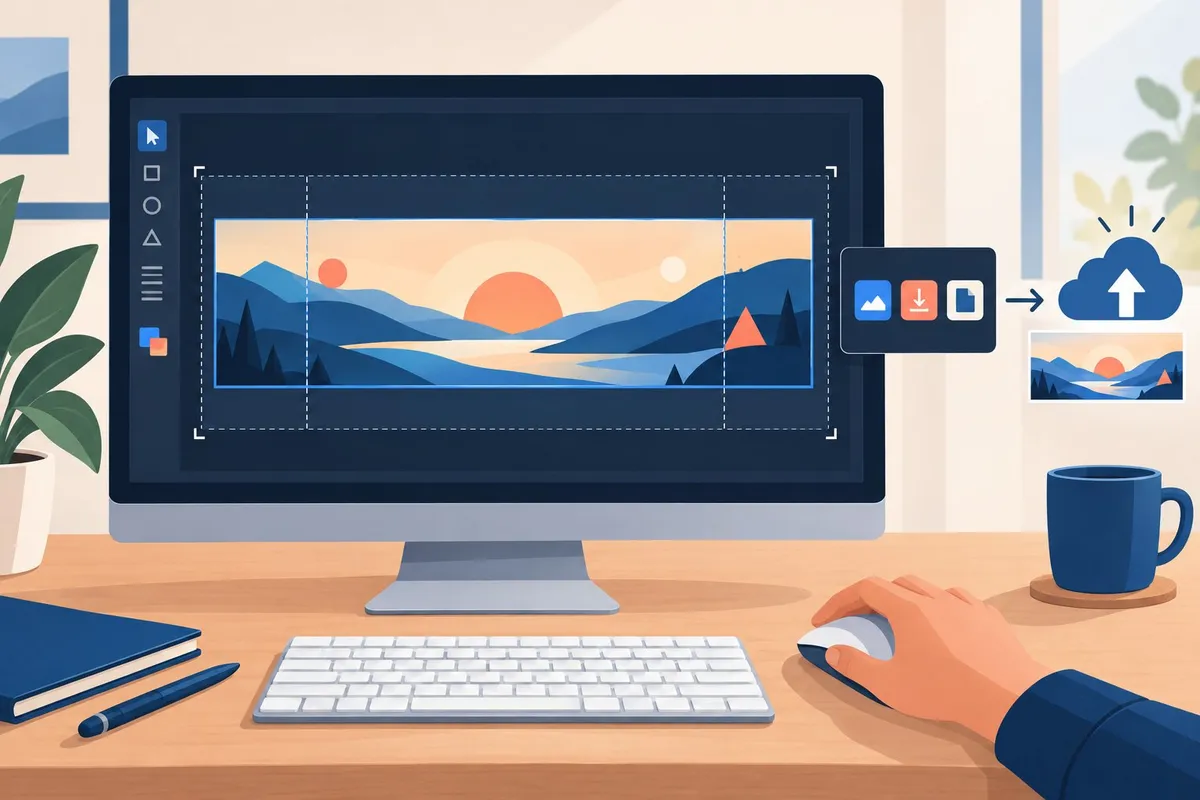
A banner that works on every device starts with a clear layout, a format that holds up at full size, and a final check through Community Appearance before it goes live. Each step protects the same goal: the subreddit's name and identity stay visible no matter how the image gets cropped.
Keep the Community's Name and Visual Identity Visible
Reddit crops banners differently on desktop and mobile, so anything placed near the edges risks getting cut off.
Design within a centered safe zone and keep critical elements away from the outer edges, a practice confirmed in Reddit banner safe zone guidance.
Build the layout with this order of priority:
- Subreddit name or logo, placed dead center, large enough to read at a glance
- Primary brand color, used as the background or accent, not buried in a busy image
- Secondary text or tagline, only if space allows without crowding the center
- Decorative elements, pushed to the outer thirds, treated as expendable
Tools like Canva or Figma make this easier because both offer custom canvas sizes and center-alignment guides, so the logo stays locked in place while the design gets adjusted.
Choose a File Format and Preview the Crop
PNG is the safest choice for banners with text or sharp logo edges, since it avoids the compression blur that JPG can introduce around fine lines.
JPG works fine for photo-heavy banners with no text, and file size stays smaller.
GIF is rarely useful here, since Reddit's banner slot does not support animation the way a profile post might.
Format comparison:
| Format | Best for | Watch out for |
|---|---|---|
| PNG | Logos, text, sharp edges | Larger file size |
| JPG | Photo backgrounds, gradients | Blurring around text |
| GIF | Not recommended for banners | No animation support in the banner slot |
Before exporting, preview the design at both desktop and mobile proportions. A banner that looks balanced at 1920 by 384 can still lose its logo on a narrow phone screen, a pattern documented in mobile cropping differences.
Upload Through Community Appearance and Check Both Views
Reddit's upload tool lives inside the moderator settings, under Community Appearance.
Steps to upload and confirm the banner:
- Open the subreddit as a moderator and go to Mod Tools
- Select Community Appearance from the settings menu
- Scroll to the Banner section and upload the desktop version
- Upload a separate mobile banner if the option is available
- Save the changes and open the subreddit on a phone to check the crop
- Return to desktop and confirm the logo and text still sit inside the visible area
Checking both views matters because Reddit auto-crops a single banner differently depending on screen width, and a banner that was never tested on mobile is the most common reason a logo ends up cut in half.
Frequently asked questions
What are the recommended dimensions for a subreddit banner in 2026?
The recommended size for a subreddit banner on current Reddit is 1920 × 384 px, a 5:1 aspect ratio.
| Option | Dimensions | Aspect Ratio | Best For |
|---|---|---|---|
| Large | 1920 × 384 px | 5:1 | Most communities, best resolution |
| Medium | 1920 × 256 px | 7.5:1 | Shorter header, more feed space |
| Small | 1920 × 128 px | 15:1 | Minimal branding, text-heavy sidebars |
Old Reddit uses the same 1920 × 384 px target, but the file size limit is much stricter at 500 KB, compared to 5 MB on the current interface, according to exact pixel dimensions for subreddit banners.
Some older guides list 4000 × 128 px as the spec. That figure was built for an earlier version of New Reddit designed for ultrawide monitor tiling, and it is no longer the standard to design against, per exact pixel dimensions for subreddit banners.
Do subreddit banners need different sizes for desktop and mobile?
Yes. Reddit's mobile app displays a separate banner file that is taller than the desktop version.
| Platform | Dimensions | Aspect Ratio | Max File Size |
|---|---|---|---|
| Desktop (current UI) | 1920 × 384 px | 5:1 | 5 MB |
| Desktop (old Reddit) | 1920 × 384 px | 5:1 | 500 KB |
| Mobile app | 1600 × 480 px | 10:3 | 5 MB |
A moderator running a hobby subreddit, for example a woodworking community, typically needs two finished banner files, not one resized copy, to avoid stretching or awkward cropping on either platform, based on a separate 1600 × 480 px file instead of shrinking the desktop banner.
The mobile banner sits behind the community name and member count, so it needs a clear middle area where no text competes with Reddit's own interface, as noted in Reddit's mobile apps display a separate banner image that is taller than either desktop variant.
What aspect ratio should a subreddit banner use?
The desktop banner uses a 5:1 ratio. The mobile banner uses a 10:3 ratio. These are not the same shape, so one image cannot serve both without cropping.
- 5:1 (desktop): a wide, short strip; works for horizontal logos and short taglines
- 10:3 (mobile): proportionally taller; gives more vertical room for a logo mark or icon
- 1:1 (community icon and profile picture): square, displayed as a circle in most placements
A trade subreddit, for example one for electricians, that wants its license-badge logo visible on both platforms needs to check how that logo reads at each ratio, since a design that fits cleanly in 5:1 can feel cramped in 10:3.
How can I resize an image for a subreddit banner without cropping important content?
- Start with a source image wider than 1920 px so nothing gets stretched or blurred when it's scaled down.
- Place the logo, name, or focal point in the center of the canvas, since Reddit crops the sides on narrower screens.
- Resize the image to the exact target dimensions, 1920 × 384 px for desktop or 1600 × 480 px for mobile, rather than uploading an off-size file and letting Reddit scale it.
- Crop separately for each platform if the source image does not match the target aspect ratio, keeping the same focal point centered in each version.
- Compress the file if it exceeds the platform's limit, 500 KB on old Reddit or 5 MB elsewhere, using JPG for photographic banners and PNG for flat graphics or text.
- Confirm the final file meets both the dimension and file-size requirements for the platform it's going to.
This leaves a moderator with a banner that displays sharp on desktop, mobile, and old Reddit, without text or logos disappearing at the edges.
How do I create and upload a banner for my Reddit community?
- Design or source an image at 1920 × 384 px (or 1600 × 480 px for mobile), keeping the focal point centered.
- Export the file as PNG for logos and flat designs, or JPG for photo-based banners.
- Check the file size against the limit for the target platform, compressing if needed.
- Open the subreddit's mod tools and go to the community appearance settings.
- Upload the desktop banner, then upload the separate mobile banner if the community serves mobile users.
- Preview the banner on both desktop and the mobile app before publishing, since cropping behavior differs between the two.
A moderator of a local city subreddit who wants the banner to double as a quick community guide, listing a few pinned topics or local event dates, still needs to keep that text centered and large enough to survive the mobile crop.
Where should I place text and logos so they remain visible on a subreddit banner?
Center is the safe zone. The outer edges of the canvas are the first parts Reddit crops on smaller screens.
| Placement | Result |
|---|---|
| Logo or text centered in the middle 50% of the canvas | Stays visible across desktop, mobile, and old Reddit |
| Logo or text near the left or right edge | Gets cropped on narrower desktop screens |
| Text near the top or bottom edge | Risks overlap with Reddit's own UI elements, especially on mobile |
Weak layout: logo placed in the far-left corner, tagline stretched across the full width near the bottom edge. On mobile, the logo disappears and the tagline gets cut off mid-sentence.
Strong layout: logo and tagline both centered, with plain background color filling the outer third on each side. The design survives cropping on every platform because the edges carry no information, per keep logos, taglines, and key visuals centered within the middle 50% of the canvas.
A buyer-advice subreddit, for example one focused on home appliance recommendations, benefits from this centered approach because its banner often doubles as a quick-reference for pinned buying guides, and a cropped guide title undermines the resource it's pointing to.