Subreddit Icon Size: Community Identity Beyond Branding
Start here: How to Create a Subreddit for Your Business: Find the Gap
TL;DR
- A subreddit icon should be a 256x256 pixel image, though some tools still reference the older 300x300 pixel spec from Reddit's upload system.
- The icon appears next to the subreddit name across feeds, search results, and community pages, so low-resolution or cluttered images lose clarity at small sizes.
- Desktop and mobile display the icon differently, which means a design that looks fine on one screen can appear cropped or blurry on another.
- The practical fix is to design at the largest supported resolution, keep the image simple, and preview it at actual display size before publishing.

A subreddit's icon is one of the first visual signals a visitor sees, and getting the size wrong can make a community look unfinished or hard to recognize. Reddit's own help documentation states that uploaded icons should be 300x300 pixels, though many current resizing guides list 256x256 pixels as the standard output size. That gap between sources is one of the most common points of confusion for moderators setting up a new community.
This matters beyond simple aesthetics. An icon that gets stretched, cropped, or pixelated reflects on how seriously a community takes its presentation, which can affect whether new visitors trust the space enough to stick around.
Dimensions and Upload Requirements
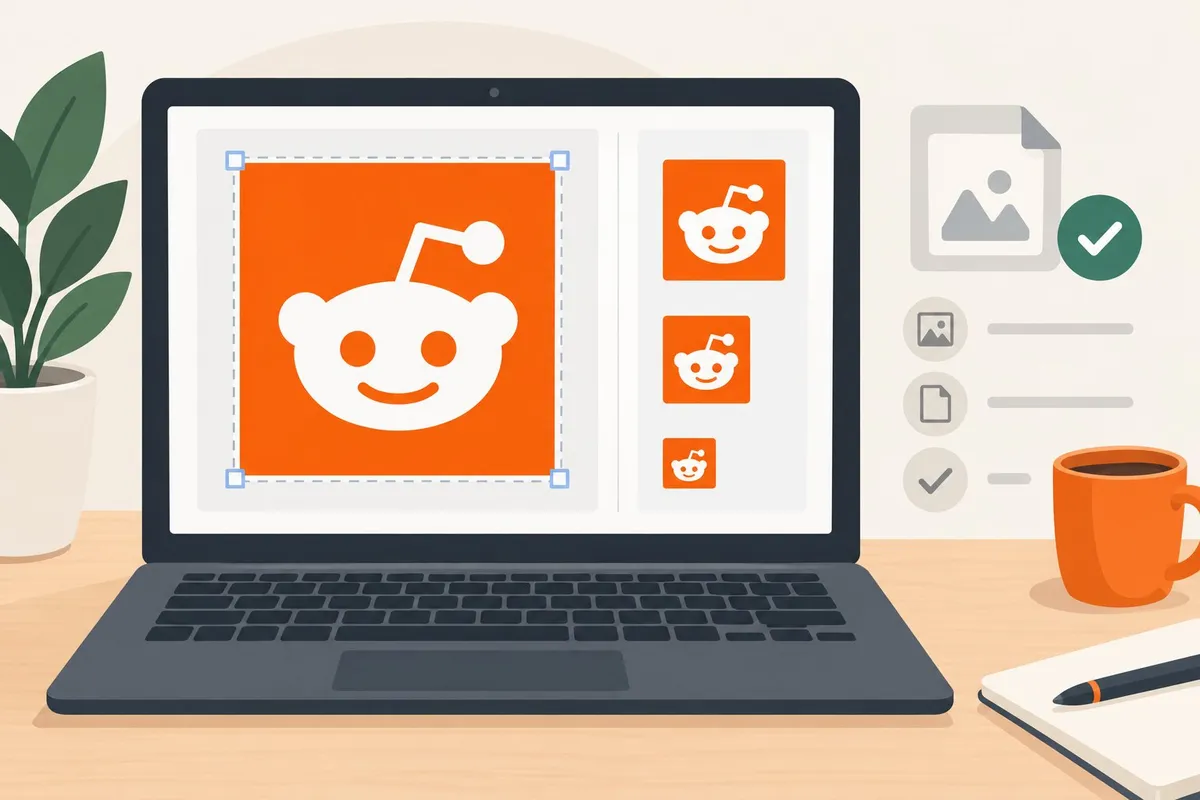
Reddit sets a fixed square size for the subreddit icon, limits the file format to PNG or JPG, and crops the image into a circle on most displays. Each requirement affects how the icon reads to members, so moderators need to check all three before uploading.
Recommended Square Dimensions and Aspect Ratio
Reddit requires a 1:1 aspect ratio for subreddit icons, with 256 x 256 pixels as the standard size, a figure confirmed by moderators discussing desktop and mobile icon sizing.
| Element | Dimension | Shape |
|---|---|---|
| Subreddit icon | 256 x 256 px | Square (1:1) |
| Community banner | Up to 4,000 x 128 px | Wide rectangle |
A square canvas matters because Reddit does not stretch or letterbox a rectangular upload. It simply crops the image to fit the square, which can cut off logo elements that sit near the edges.
Moderators should design the icon with the main symbol centered and leave margin space around it. This keeps the key graphic intact no matter how the platform processes the file.
PNG, JPG, and File Size Considerations
Reddit accepts subreddit icons in PNG or JPG format. Full technical breakdowns of accepted formats and size limits are available in Reddit image and video specification guides.
PNG and JPG serve different purposes:
- PNG keeps sharp edges and transparent backgrounds, which suits logos, text, or simple icons with flat colors.
- JPG works better for photo-based icons, since it compresses detailed images into a smaller file without a transparent layer.
Moderators should pick PNG for anything with clean lines or a logo mark. They should pick JPG only when the icon is a photograph, since JPG compression can blur sharp edges on text or line art.
File size limits are generally modest, so a 256 x 256 px icon rarely causes upload problems if it was built at or near the native size.
How the Circular Crop Changes What Members See
Reddit displays the subreddit icon inside a circle, not a square, on most pages members browse. This means any content in the corners of the square upload gets cut off.
Observed behavior: moderators who place a logo flush against the edges of their 256 x 256 px file often find the corners missing once the crop is applied.
Weak version: A square logo with text that reaches all four corners of the canvas.
Strong version: The same logo scaled down by about 20%, centered, with open space around it so the circular crop leaves the full design visible.
Decision rule for moderators:
- Build the icon on a 256 x 256 px canvas.
- Keep all critical shapes and text inside an inner circle, roughly 85% of the canvas width.
- Preview the upload on both desktop and mobile before finalizing.
- Confirm the icon still reads clearly once cropped, this is "done."
A clear, centered icon helps members recognize the community at a glance, which matters more as a subreddit grows and relies on visual consistency across posts, comments, and search results.
Designing for Community Recognition
An icon works when a member can spot it in a crowded feed in under a second and connect it to the community's topic. The choices below cover subject matter, legibility, and how the icon fits alongside other Reddit image sizes a subreddit uses, like banners and post images.
Choose an Icon That Reflects the Community's Purpose
The icon should answer one question instantly: what is this community about?
Observation → decision → action:
| Observation | Decision | Action |
|---|---|---|
| New members confuse the subreddit with a similar one | Icon is too generic (plain text or stock symbol) | Replace with a subject-specific graphic (a tool, animal, or object tied to the topic) |
| Icon matches the brand but not the topic | Icon prioritizes style over clarity | Redesign around what members actually discuss |
| Members describe the icon as "forgettable" in feedback threads | Icon lacks a distinct shape or color | Pick one bold color and one simple shape |
A woodworking subreddit benefits from a hand plane or saw silhouette rather than abstract lettering. A local city subreddit does better with a landmark or skyline shape than a generic location pin. The icon should hold up even at the small sizes it gets rendered at in feeds, so detailed illustrations and busy compositions should be avoided in favor of one clear subject.
Keep Details Legible in Feeds and Discussions
Icons appear small almost everywhere they show up, so legibility at reduced size matters more than detail.
Design checklist:
- Single focal point, one shape or symbol, not a scene
- High contrast, dark subject on light background, or the reverse
- Thick lines, thin strokes disappear at small sizes
- Minimal text, avoid full words; a single letter or mark reads better than a sentence
- Flat color blocks, gradients and fine shading blur at small dimensions
Reddit's community icon upload accepts a 300x300px image, but it displays far smaller in practice, often shrunk down next to the subreddit name in feeds and search results. A good test is to shrink the design to the size of a thumbnail and check if it's still recognizable. If the subject blurs into a gray blob, the design needs fewer elements, not more polish.
Distinguish the Icon From Avatars, Banners, and Post Images
The icon serves a different job than other visual assets on the platform, so it should not duplicate them.
Contrast block:
| Asset | Purpose | Design approach |
|---|---|---|
| Community icon | Quick identification in feeds, sidebars, search | Single symbol, circular crop, bold color |
| Reddit profile picture | Personal identity for a user account | Face, logo, or personal mark |
| Subreddit banner | First impression on the community landing page | Wider scene, can include text and branding |
| Post image | Illustrates one specific post's content | Varies by topic, not tied to community identity |
A Reddit profile picture belongs to an individual account, not a community, so it should never be confused with the icon a subreddit uses. The subreddit banner size also differs sharply from the icon, since banners stretch wide across the top of a community page and can hold more detail, including text. Because Reddit image size requirements shift between icons, banners, and post images, each asset should be designed separately rather than cropped from a single source file. Reusing one image across all three spots usually produces a banner that looks stretched or an icon that looks cluttered.
Frequently asked questions
What are the recommended pixel dimensions for a subreddit icon?
Reddit's own community guide lists 500×500 pixels as the optimal size for a subreddit icon, as noted in Reddit's community icon guidance.
Other sources document a smaller baseline:
| Dimension | Where it's documented | Notes |
|---|---|---|
| 500×500 px | Reddit's official community guide | Listed as optimal |
| 300×300 px | Reddit documentation | Listed as a secondary spec |
| 256×256 px | Third-party sizing guides | Commonly cited as the display size |
Moderators should use the largest size, 500×500, since Reddit can scale a larger image down without quality loss. Scaling a small image up causes blurring.
What image formats can I use for a subreddit icon?
Reddit accepts standard web image formats for icons: PNG, JPG, and GIF are the common choices among moderators.
- PNG works best for icons with transparent backgrounds or sharp logo edges.
- JPG works fine for photo-based icons but does not support transparency.
- GIF is rarely used for icons since the circular crop hides most animation value.
A transparent PNG is the safer default for a logo-style icon, since Reddit displays the icon inside a circular frame and any square background color will show as a ring around the image.
How do I resize an image to fit a subreddit icon?
A square crop is the first requirement, since Reddit displays subreddit icons as circles cut from a square image.
- Open the source image in any photo editor or a free online resizer.
- Crop it to a 1:1 square ratio, centering the logo or graphic so nothing important sits near the edges.
- Resize the canvas to 500×500 pixels, matching Reddit's documented optimal size.
- Export as PNG if the icon needs a transparent background.
- Preview the crop as a circle before uploading, since corners and edges get cut off in the final display.
Several dedicated tools handle this automatically, including resizers built specifically for Reddit image dimensions and general-purpose tools covering Reddit sizing specs.
How do I change my subreddit's icon?
- Go to the subreddit's mod tools from the community menu.
- Open community appearance settings, where icon and banner uploads live together.
- Upload the resized square image, using the 500×500 PNG or JPG prepared in advance.
- Save the changes and check how the icon renders in both feeds and search results.
- Confirm the final look, which now shows the new icon as the community's visual identity wherever the subreddit name appears.
Moderators who run multiple communities, such as a hobby subreddit and a related trade subreddit, should keep a labeled folder of source files. This makes future icon updates faster when rebranding or refreshing the look of their corner.
Will a subreddit icon display differently on iPhone and Android?
Yes, rendering differences are observed across platforms, though Reddit does not publish a single fixed display size for every surface.
| Platform | Observed behavior | What moderators should check |
|---|---|---|
| Desktop (old Reddit) | Icon appears smaller, often around 70×70 px | View the subreddit on old.reddit.com directly |
| Desktop (new Reddit) | Icon appears as a circle near the subreddit name | Check sidebar and header placement |
| Mobile app (iOS/Android) | Icon size can vary slightly by app version | Test on both an iPhone and an Android device before finalizing |
A question specifically about desktop icon sizing appears in a Reddit help thread, where a moderator noted that official size documentation focuses mostly on mobile. This is an observed gap rather than a documented Reddit policy, so testing the icon directly on each device remains the most reliable check.
How do subreddit icon dimensions differ from banner dimensions?
The icon is a small square shown as a circle; the banner is a wide rectangle shown across the top of the subreddit page.
| Element | Shape | Common dimensions |
|---|---|---|
| Subreddit icon | Square, displayed as a circle | 500×500 px (optimal), 256×256 px (common display size) |
| Subreddit banner | Wide rectangle | 1920×384 px, a 5:1 ratio |
A full breakdown of banner sizing, including mobile and desktop variations, appears in guides covering exact pixel dimensions for Reddit banners and a dedicated Reddit banner resizer. The icon functions as the community's identity mark in small spaces, while the banner sets the tone for visitors who land directly on the subreddit page.